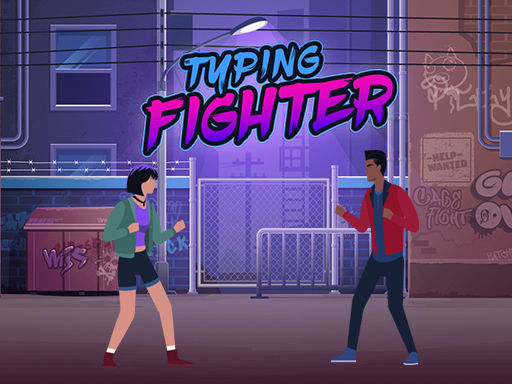
Typing Fighter links typed sentences to attacks. Read the text and the response as two parts of one task.
The sentence is the instruction surface
Typing Fighter describes fighting opponents by typing sentences shown on screen. Its listing connects speed and accuracy with attack power and mentions charged moves and a collection of motivational phrases. The exact scoring calculation is not supplied. Begin by reading the displayed sentence as a precise input task rather than as background dialogue. Notice capitalization, spaces and punctuation before increasing your pace. This is especially useful when an otherwise familiar phrase contains a small difference from the wording you expected. The visible text, rather than your memory of a quotation, defines what to type.
Find how the game marks a mismatch
Before chasing a rapid sequence, watch what happens around the first few characters. The game may distinguish accepted text from a pending character or show another correction signal; the listing does not specify its presentation. Use the current display to discover whether a mistake needs correction and where input should resume. Do not assume that continuing beyond an error will repair it. A brief pause can be productive if it reveals the exact place where the typed sequence diverged. Once the mismatch is understood, return attention to the sentence instead of watching only the fight animation.
Give your rhythm a readable unit
A sentence can be approached as small meaningful groups of words. Read a short group, type it accurately, and look ahead to the next group while checking the current response. The size of that group is a personal choice, not a prescribed technique or a measured speed advantage. If punctuation repeatedly interrupts the rhythm, shorten the group around that point. On a touch keyboard, confirm that the keyboard is actually open and that focus remains in the game. The supplied controls allow a computer or touch keyboard, but that statement does not prove equal behavior across devices.
Separate a clean input from a dramatic attack
The animation is feedback, but it is not a substitute for knowing which text was accepted. If an attack looks weaker than expected, inspect the character response and any rule the running game provides before blaming typing speed. There may be a charge condition or another visible requirement; the listing does not give enough detail to calculate it. Compare an accurate sentence with a later, slightly faster attempt only after the input path is clear. This creates a useful practice question about control and attention without claiming a verified damage formula, a training benefit or a guaranteed result.
Based on the supplied listing and original editorial reasoning. This note does not report a gameplay test.